


Procedure Trainer
Practice procedures before the aircraft.
Train cockpit flows, radio communication and procedural decision-making in an interactive general aviation environment.
Learn by doing.
Work through realistic training scenarios, operate simulated aircraft controls and build familiarity with the sequence and logic behind common procedures.
Built for preparation — not certification.
NorthTrack supports learning and procedural familiarization. Always use the applicable POH/AFM, approved checklists and instructions from your flight school or instructor.
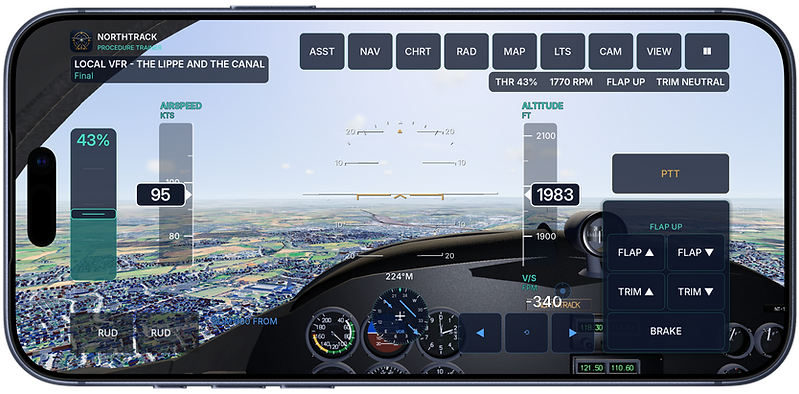
01 — THE PROCEDURE TRAINER
Train procedures before the aircraft.
NorthTrack Procedure Trainer is an interactive general aviation training environment built for procedural familiarisation and structured practice.
Work through realistic training scenarios, operate simulated aircraft controls, practise radio communication and build familiarity with the sequence and logic behind common flight procedures.
The focus is not simply on flying from one point to another. Each training session is built around a defined situation, objective or phase of flight.
Learn the flow. Understand the sequence. Practise the decisions.
02 — TRAINING MISSIONS
Every flight has a purpose.
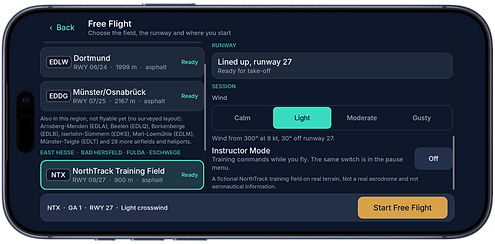
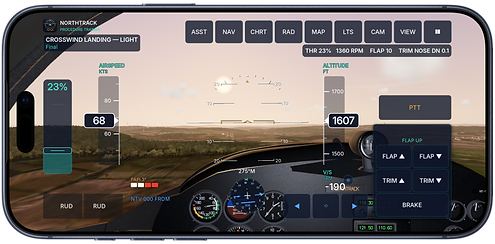
Training is organised into individual missions designed around different phases of flight and procedural challenges.
A session might focus on a complete aerodrome circuit, local VFR navigation, tracking a navigation reference, handling changing weather conditions or preparing for an approach and landing.
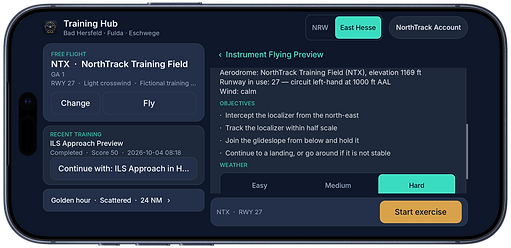
Before entering a mission, the Training Hub presents its environment, expected duration, difficulty and training objectives so you know what the exercise is designed to practise.
Examples include
Circuit Training
Practise departure, circuit geometry, approach and landing as one continuous sequence.
Local VFR
Navigate using visual references and geographical features while maintaining orientation throughout the flight.
Navigation Exercises
Practise tracking, VOR-related procedures and structured navigation scenarios.
Instrument Preview
Explore introductory instrument-reference scenarios as a familiarisation exercise.
03 — TRAINING REGIONS
Different environments. Different challenges.
The Procedure Trainer is organised around dedicated NorthTrack Training Regions.
Each region provides its own combination of aerodromes, terrain, visual references and training scenarios. This allows exercises to be designed around recognisable environments rather than an abstract practice area.
The NRW training environment, for example, brings together scenarios around Hamm, Dortmund and Münster, while additional regions provide different geography and training opportunities.
As NorthTrack grows, new regions can expand the available mission catalogue without changing the underlying training workflow.
Choose a region. Choose a mission. Start training.


04 — INSIDE THE COCKPIT
More than a flight path.
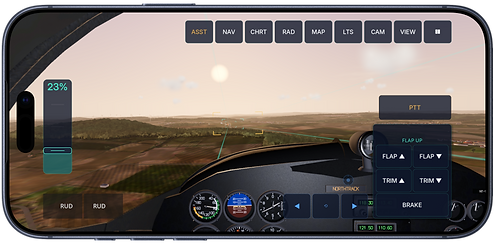
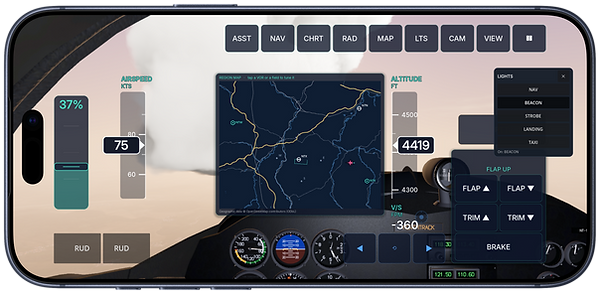
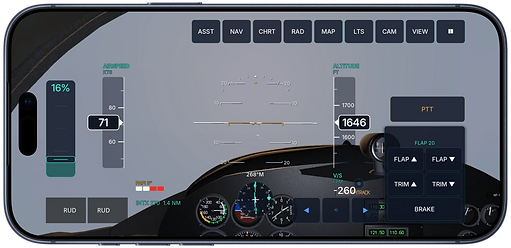
Once a mission begins, the Procedure Trainer becomes an interactive cockpit environment.
Aircraft controls, navigation tools, radio functions and scenario-specific information are brought together in a single training interface. The objective is to let pilots actively work through a procedure instead of only reading about it.
Depending on the exercise, training can involve:
Aircraft control — power, configuration, trim and flight-path management.
Navigation — visual orientation, navigation references and route-related tasks.
Radio communication — interactive communication elements integrated into the scenario.
Weather — environmental conditions that can change the demands of a flight.
Procedural decision-making — understanding what comes next, why it matters and how individual actions form a complete flight sequence.
05 — INSTRUCTOR MODE
Tasks the way they are set in training.
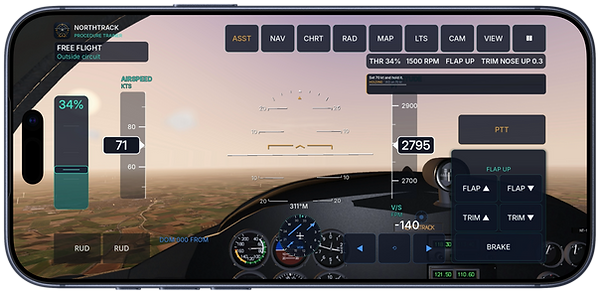
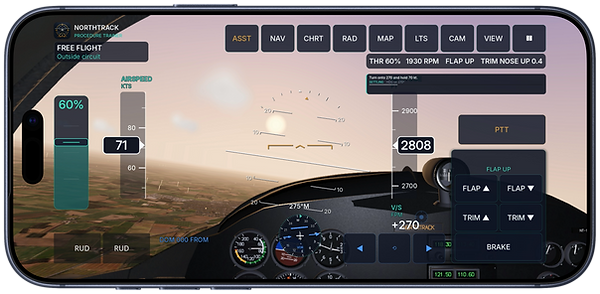
Instructor Mode gives you structured tasks in flight — one at a time.
Instead of flying a route from start to finish, you work through individual tasks of the kind that come up in a training lesson or when preparing for a check flight. Each task has a clear start, a clear objective and a recognisable sequence — which is what routine is made of.
Typical Instructor Mode tasks:
Phases of flight on request — establish and hold a climb, cruise, descent or circuit when asked for it.
A procedure in one piece — fly a complete sequence such as a departure, a position report or approach preparation without interruption.
Configuration and speed — set power, trim and configuration so that a given flight condition is maintained.
Orientation and recovery — regain the track after a deviation and describe your own position.
Instructor Mode is a practice format inside the Procedure Trainer. NorthTrack is not a flight school, an examining body or an official examination simulator; the tasks are modelled on situations that occur in training and replace neither flight instruction nor any official examination.
06 — FROM BRIEFING TO DEBRIEF
Training does not end at touchdown.
A useful training session is more than the time spent flying.
Depending on the exercise, training can involve:
CHOOSE → BRIEF → FLY → REVIEW
Choose
Select the region and exercise you want to practise.
Brief
Review the scenario, environment and objectives before starting.
Fly
Work through the mission using the interactive training environment.
Review
Look back at the session and use the result to identify what you want to practise next.
Training history remains available so repeated sessions can become part of a structured learning routine rather than isolated simulator flights.

07 — RECOGNISABLE ENVIRONMENTS
Not just flying. Learning to orientate.
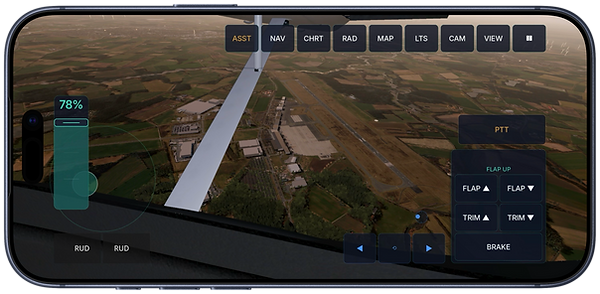
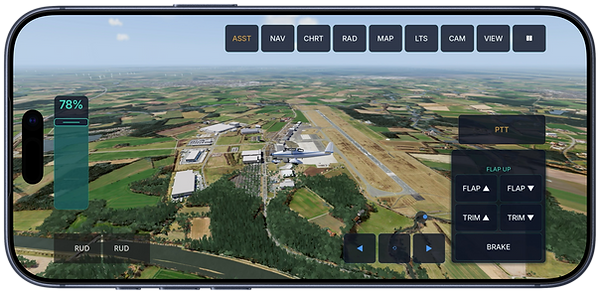
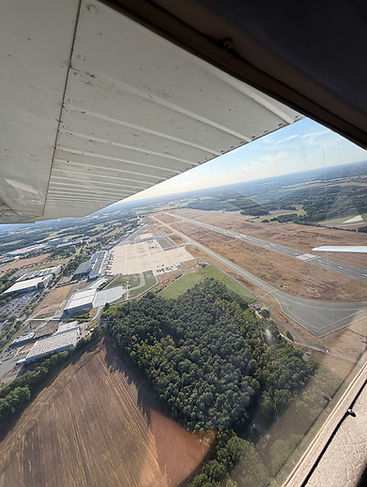
Procedure Trainer regions are designed so that distinctive features of the real-world environment can remain recognisable.
Roads and motorway junctions, bodies of water, bridges, wind turbines, prominent structures and other visual references help bring visual orientation into the training experience.
This allows local VFR scenarios to combine visual navigation, course management and navigation aids such as VOR within one connected training environment.
The aim is not to replace the real world or approved navigation data — but to create an environment in which procedures and orientation can become more familiar before the next flight.
See. Recognise. Orientate. Practise.
Training and familiarisation only. NorthTrack Procedure Trainer is not an approved FSTD or FNPT and does not provide training credit. Always use the applicable POH/AFM, approved checklists, operating procedures and instruction from your flight school or instructor.